The Complete Guide to the National Identification Number (NIN) in Nigeria: How to Check, Register, and Link Your SIM
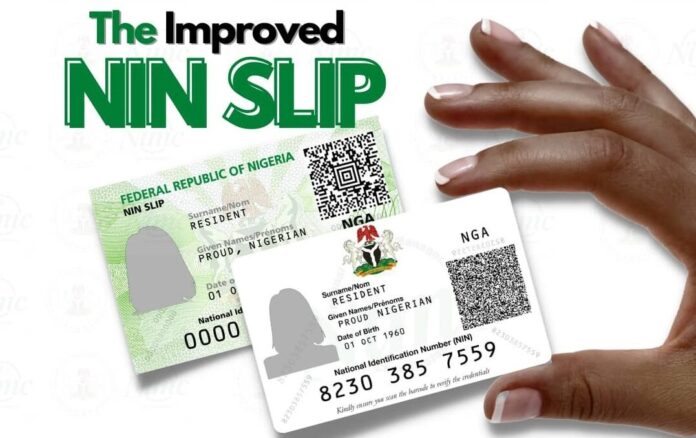
If you live in Nigeria, you already know that the National Identification Number (NIN) has become one of the most important pieces of information you can possess. From opening a bank account and applying for a passport to simply keeping your mobile phone line active, your NIN is your universal digital identity.
Welcome to LOOKUP.COM.NG! We know that dealing with national databases can sometimes feel overwhelming. In this guide, we have simplified everything you need to know about your NIN, including how to check it on your phone, how to register, and how to link it to your mobile network.
What is the NIN?
The National Identification Number (NIN) is a unique 11-digit number assigned to every Nigerian citizen and legal resident by the National Identity Management Commission (NIMC).
Unlike a physical ID card which can be lost or expire, your NIN is tied to your biometric data (fingerprints and facial photograph) and remains yours for life. It is designed to tie all records about you—demographic data, travel history, taxes, and health insurance—into one centralized database.
How to Check Your NIN on Your Mobile Phone
If you have already registered for your NIN but forgot the 11-digit number, you do not need to visit a NIMC office to retrieve it. You can easily look it up using a universal USSD code, provided you are dialing from the phone number you used during your NIMC registration.
The Universal USSD Code to check your NIN is: *346#
Step-by-Step Retrieval:
Open your phone’s dialer.
Dial
*346#.Select "1" for NIN Retrieval from the pop-up menu.
Your 11-digit NIN will be displayed on the screen. (Note: A standard service fee of ₦20 is usually deducted from your airtime balance for this inquiry).
Tip: Take a screenshot or write the number down immediately, as the prompt will disappear when you close it.
How to Link Your NIN to Your SIM Card
The Nigerian Communications Commission (NCC) mandates that all active SIM cards must be linked to a valid NIN. If your line is not linked, it risks being barred from making calls or using data.
Here is how to link your NIN across the four major telecom networks in Nigeria:
| Mobile Network | USSD Code / Method to Link NIN |
| MTN | Dial *785*Your 11-digit NIN# or use the MyMTN App. |
| Airtel | Dial *121*1# and follow the screen prompts to input your NIN. |
| Glo | Text "UPDATE NIN NIN_Number First_Name Last_Name" to 109 (e.g., UPDATE NIN 12345678901 John Doe). |
| 9mobile | Dial *200*8# and follow the prompts to submit your NIN. |
How to Register for a New NIN
If you have never enrolled for a NIN, the process requires an in-person visit to an approved NIMC enrollment center so your biometrics can be captured.
What You Need to Bring:
You must provide at least one of the following original valid documents:
Old National ID Card
Driver’s License
Voter’s Card (Temporary or Permanent)
Nigerian International Passport
Certificate of Origin
Birth Certificate / Declaration of Age
The Enrollment Steps:
Pre-Enrolment (Optional but recommended): Visit the official NIMC pre-enrolment portal online to fill out your demographic data and print out the 2D Barcode slip. This saves time.
Visit an Enrolment Center: Go to the nearest NIMC office or approved registration partner (many banks and telecom offices now have NIMC desks).
Biometric Capture: An agent will verify your documents, input your data, and capture your fingerprints, facial image, and digital signature.
Receive Your Slip: You will be given a transaction slip immediately. Your actual National Identification Number (NIN) slip will be issued shortly after the system processes your biometrics.
Conclusion
Your NIN is the key to unlocking seamless financial and government services in Nigeria. Always ensure your details are accurate, and never share your 11-digit number on unverified websites to protect yourself from identity theft.
For more quick lookup codes, government agency locations, and verified Nigerian directories, keep exploring LOOKUP.COM.NG!
Would you like the next article to focus on a business directory topic, such as how to register a company with the Corporate Affairs Commission (CAC)?